PowerOn Pro v2 is here. It brings more of your everyday Symitar workflow into VS Code: writing PowerOn, reviewing remote changes, running interactive programs, and finding the reports they produce.
We've been working through the details that make those tasks feel connected. You can compare a file with its Remote Sym copy, run a PowerOn for a selected member, and inspect the output in the same workspace.
A more connected PowerOn workflow
Run interactive PowerOns in VS Code
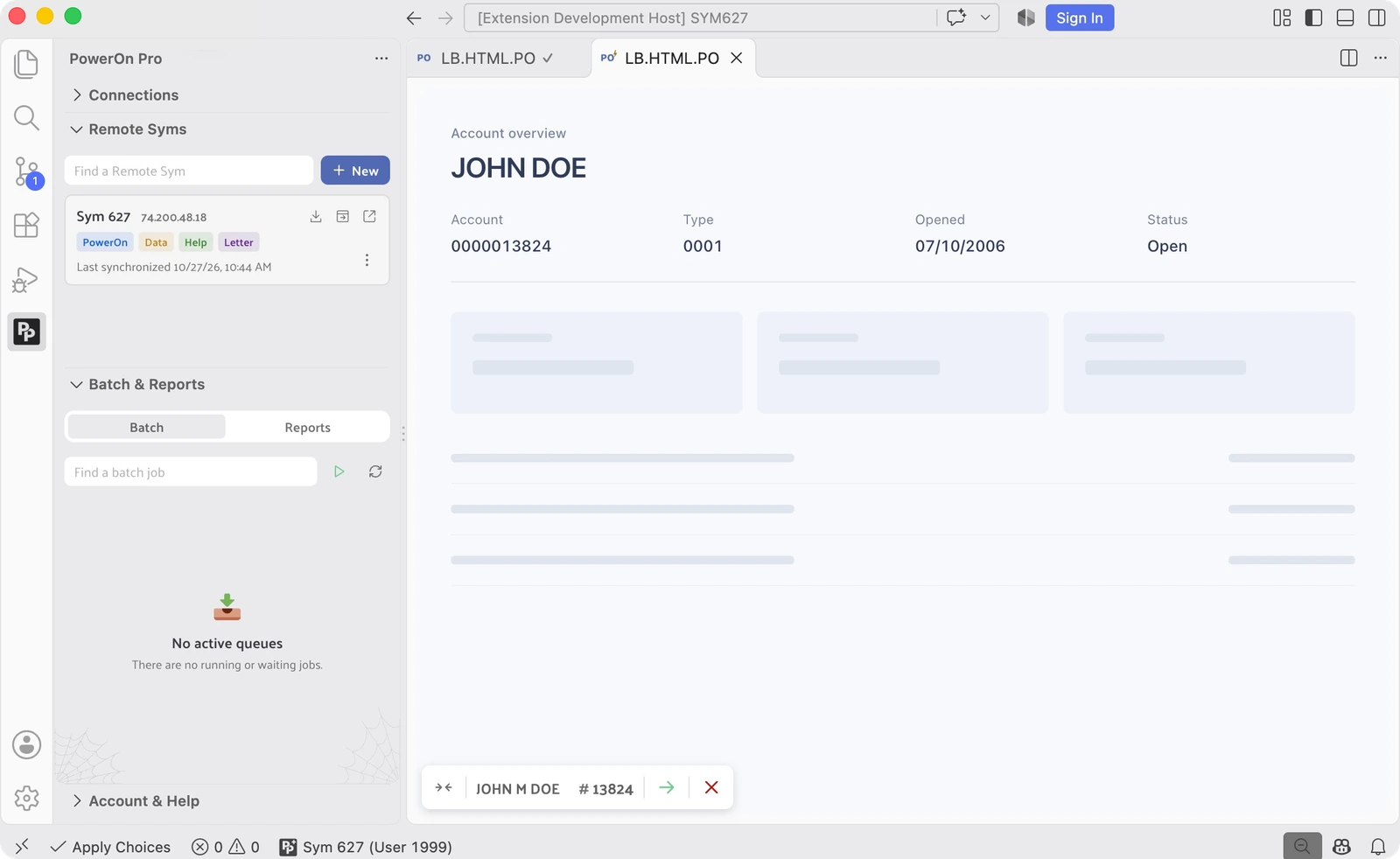
Start an OnDemand PowerOn from your editor or Explorer, select a member, and work through its prompts, dialogs, and output in an editor tab. The member picker includes recent selections, and the target member stays accessible while you work.
When running a local file, PowerOn Pro prepares it for execution, validating, deploying, and installing it when needed. You can also browse installed PowerOns by work area and run one directly on the host. The interaction stays in the tab, including confirmations and cancellation.
See what changes before you sync
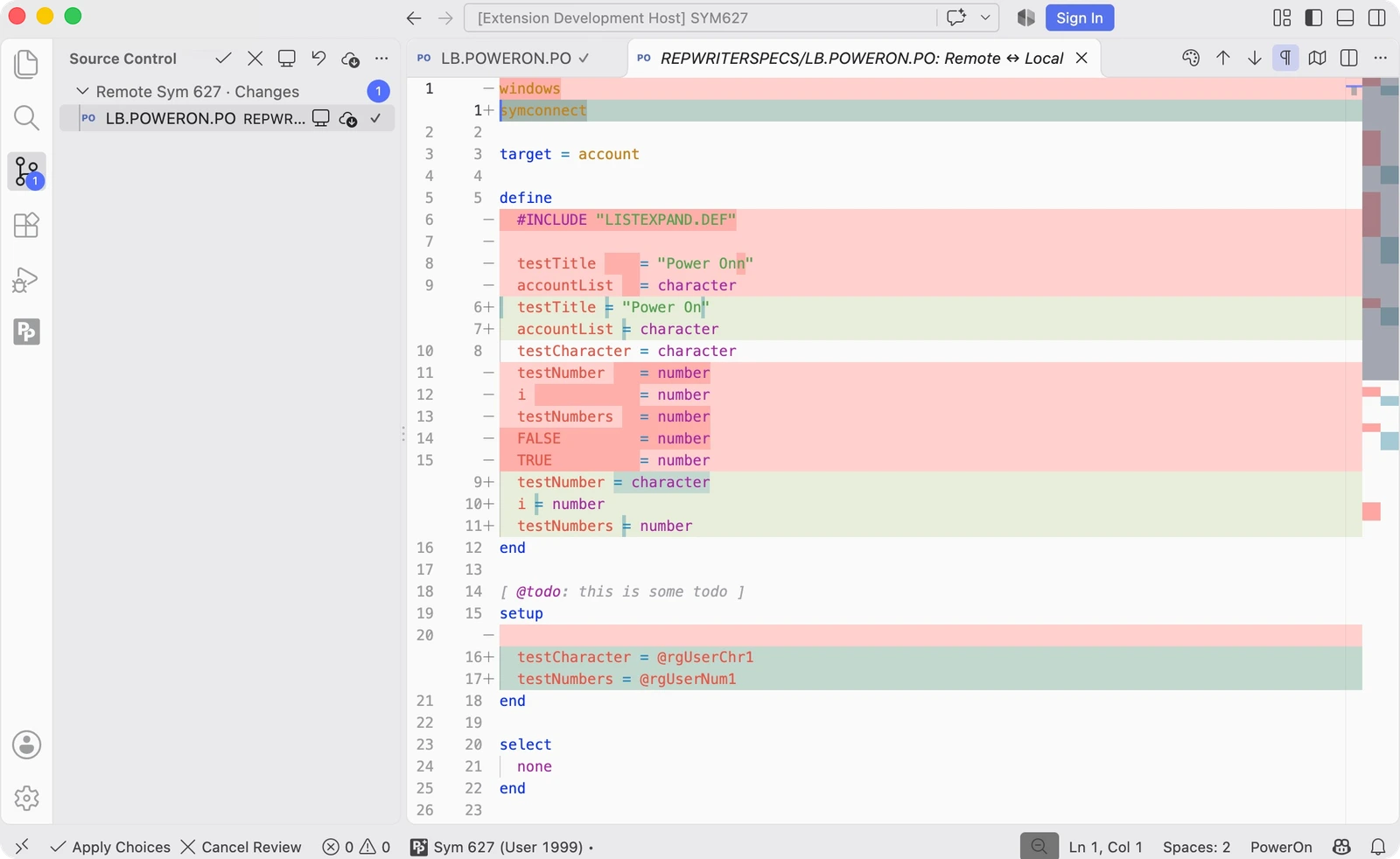
Remote Sym synchronization brings conflicting changes into VS Code's Source Control view. Compare the remote and local versions side by side, then choose Use Remote or Keep Local for each file. Applying the review confirms replacements and local-only removals before proceeding.
Files that can be updated safely continue to sync automatically. Files you've changed during a review are protected, and cancelling preserves unresolved local work. For a fresh local copy, the standalone Clone Sym Directory command downloads a remote directory into an empty folder you choose.
Bring batch jobs and reports into the workflow
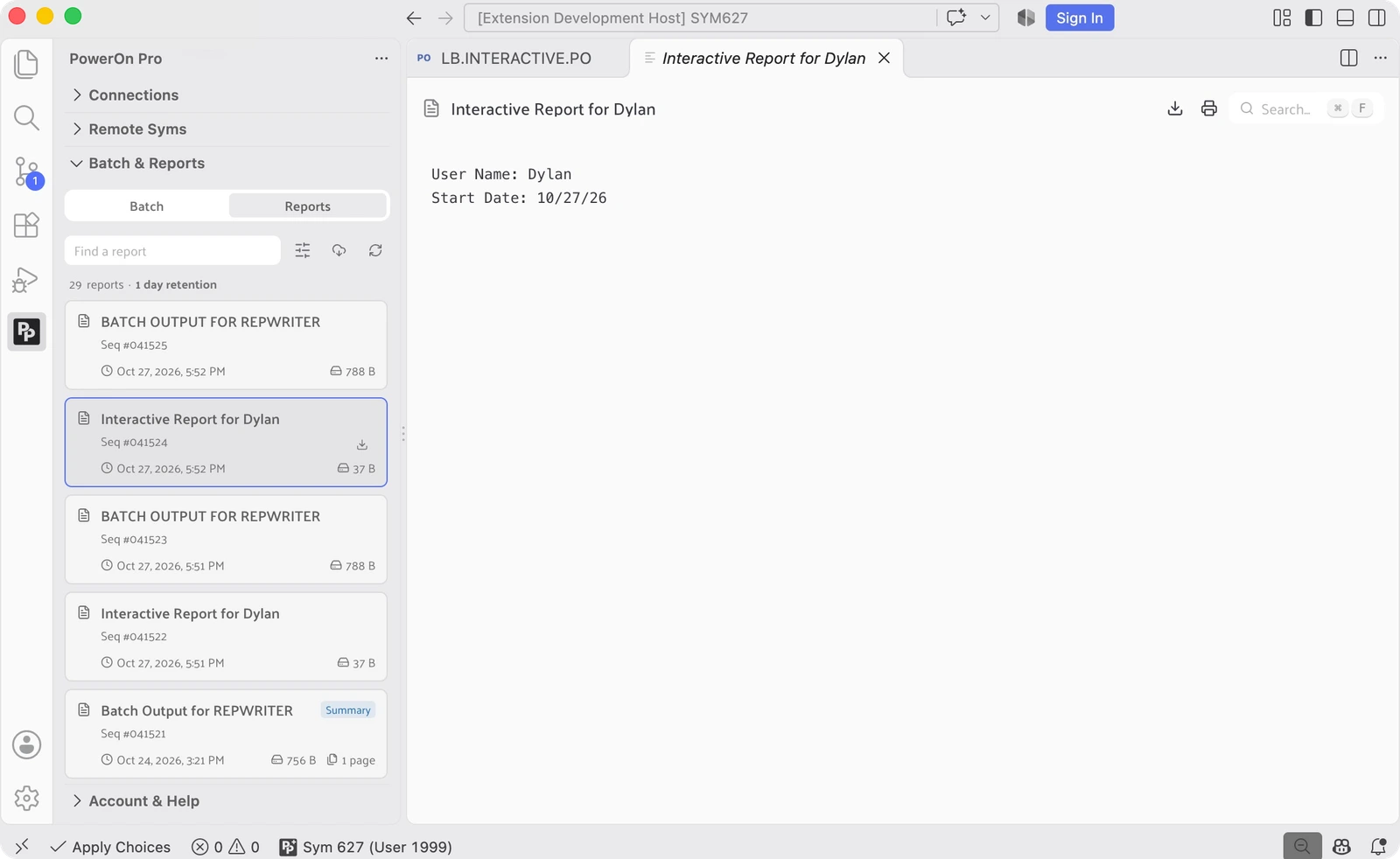
Submit an installed PowerOn to a batch queue, follow its status, and retrieve its associated reports. You can also cancel queued jobs or request termination of running jobs directly from VS Code, with confirmation before the action is sent to the host. Batch submission runs the host's installed PowerOn; it does not deploy your local edits.
The Reports sidebar lets you search titles and sequences, narrow results by date, and open or pin reports as you investigate. Cached reports remain available without a live connection while your subscription's offline access is valid. Background synchronization keeps the selected cache current while connected, and the viewer includes search, download, and printing controls.
Keep your attention on the code
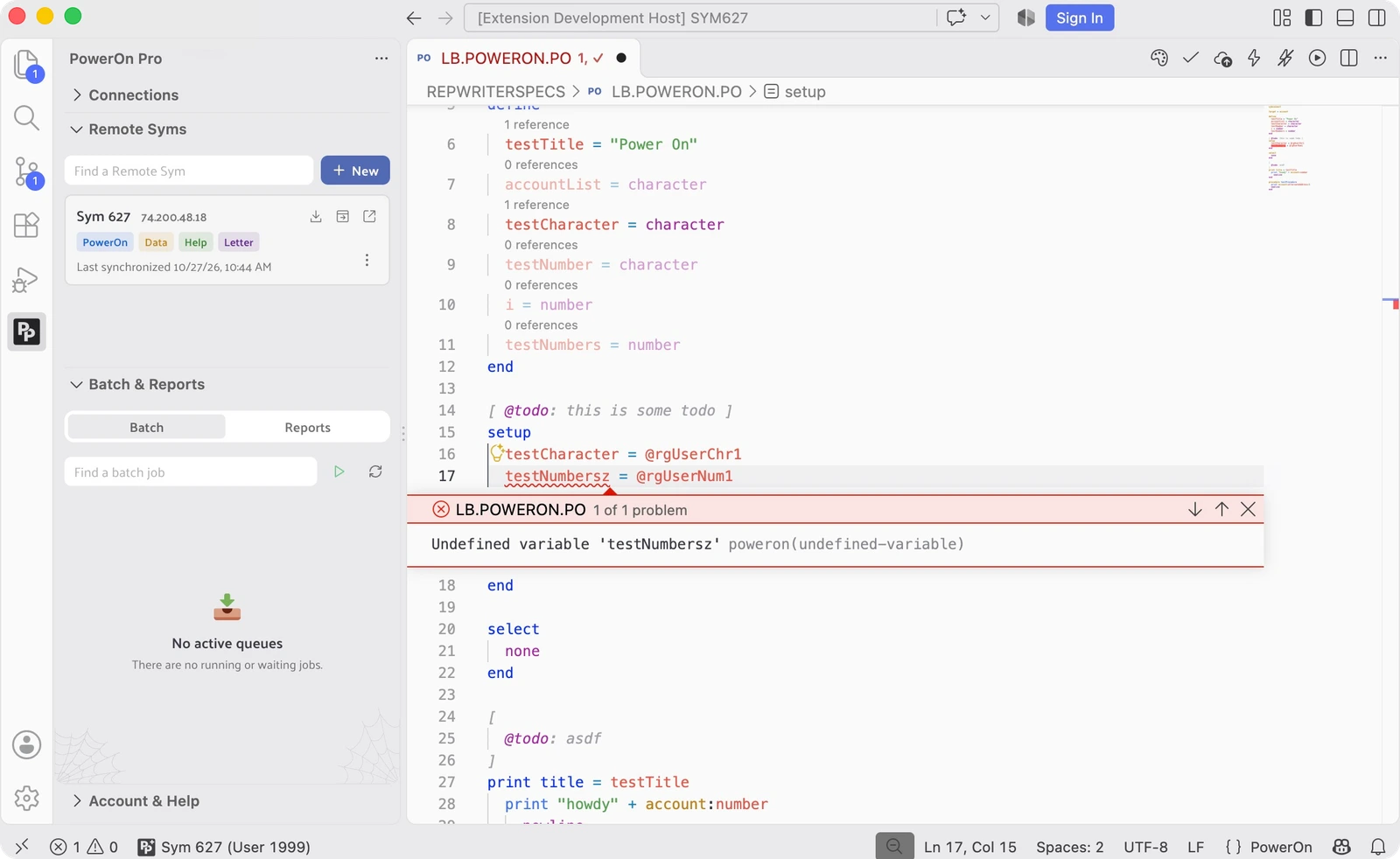
V2 carries forward the PowerOn language tools you already use: diagnostics, quick fixes, completion suggestions, and function signatures. Hover over keywords, records, and fields for context while you work.
Diagnostics run as you type, without on-host validation. We've built a parser that tokenizes your PowerOn source and builds abstract syntax trees (ASTs), giving the editor an understanding of the language's structure and meaning. That lets it catch syntax and semantic issues locally, before you send your code to Symitar for compilation.
Formatting and syntax highlighting round out the workflow, helping you read unfamiliar code and keep your own files consistent. Diagnostics account for included source, so you can follow an issue back to the code that needs attention.
Coming soon
We're planning quick follow-up minor releases for two more capabilities. Be on the lookout for dedicated updates as each arrives.
PX Embedded HTML for PowerOn
Building an HTML interface inside a PowerOn means working with both page markup and PowerOn logic. PX brings those two parts together through our extended PowerOn language support for embedded HTML.
Our goal is to make that source easier to write, read, and maintain in your editor. We'll share the syntax and a walkthrough of the workflow in its own release update.
Job File manager
Running a batch PowerOn is one part of the workflow. Managing the Job Files that support your batch processes deserves its own space, too. We're building a dedicated Job File manager within PowerOn Pro.
This follow-up focuses on working with the Job Files themselves, alongside the batch execution and report tools in v2. We'll cover the manager and its workflow in a dedicated release update.
Get started with v2
Find PowerOn Pro in the VS Code Marketplace and follow the Quickstart guide to connect your workspace. PowerOn Pro+ includes local diagnostics, quick fixes, formatting, OnDemand execution, Remote Syms, batch controls, and Reports. Compare plans.